
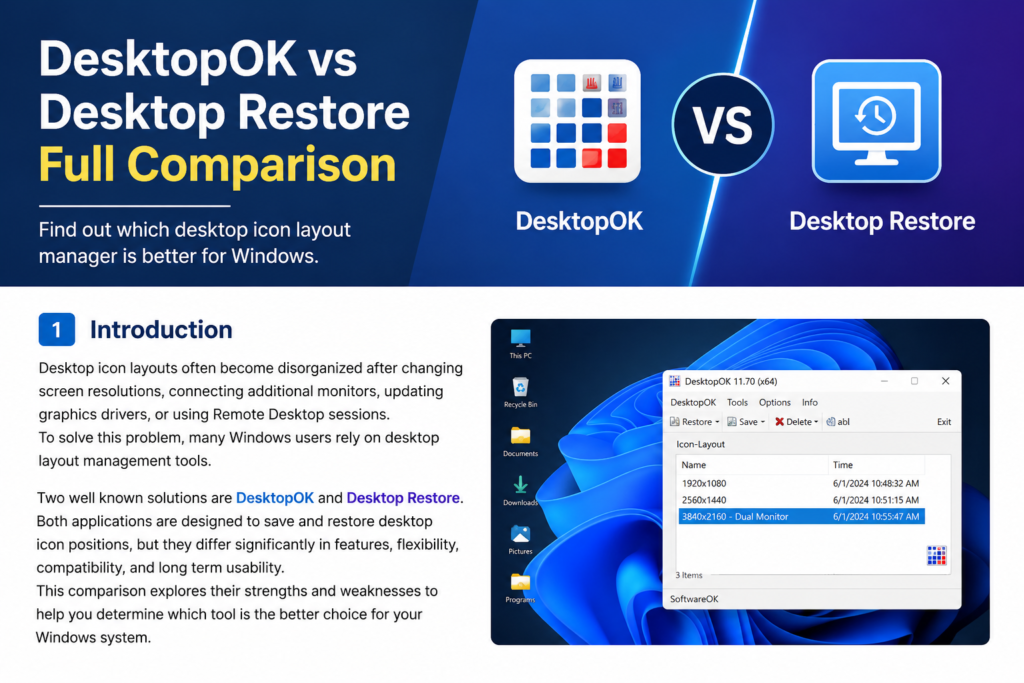
Desktop icon layouts often become disorganized after changing screen resolutions, connecting additional monitors, updating graphics drivers, or using Remote Desktop sessions. To solve this problem, many Windows users rely on desktop layout management tools.
Two well-known solutions are DesktopOK and Desktop Restore. Both applications are designed to save and restore desktop icon positions, but they differ significantly in features, flexibility, compatibility, and long-term usability.
This DesktopOK vs Desktop Restore comparison explores their strengths and weaknesses to help you determine which tool is the better choice for your Windows system.
What Is DesktopOK?
DesktopOK is a desktop management utility developed by SoftwareOK. It allows users to save, restore, and manage multiple desktop icon layouts.
The software is known for its lightweight design, advanced functionality, and compatibility with modern Windows versions.
Key DesktopOK Features
- Save desktop icon layouts
- Restore icon positions instantly
- Multiple backup profiles
- Auto Save functionality
- Multi-monitor support
- Resolution-specific profiles
- Portable version available
- Windows 11 compatibility
DesktopOK is designed for both casual users and professional environments.
What Is Desktop Restore?
Desktop Restore is another utility that helps users save and restore desktop icon positions.
Its primary focus is simplicity. The application provides basic layout backup functionality without many advanced features.
Key Desktop Restore Features
- Save icon layouts
- Restore icon layouts
- Simple interface
- Lightweight application
While useful for basic tasks, Desktop Restore offers fewer management options than DesktopOK.
Feature Comparison
| Feature | DesktopOK | Desktop Restore |
|---|---|---|
| Save Layouts | Yes | Yes |
| Restore Layouts | Yes | Yes |
| Multiple Profiles | Yes | Limited |
| Auto Save | Yes | No |
| Multi Monitor Support | Yes | Limited |
| Portable Version | Yes | No |
| Resolution Profiles | Yes | No |
| Windows 11 Support | Yes | Limited |
| Active Development | Yes | Limited |
| Backup Management | Advanced | Basic |
DesktopOK clearly provides a larger collection of features.
User Interface Comparison
DesktopOK
DesktopOK includes a feature-rich interface with numerous customization options.
Advantages include:
- Profile organization
- Automatic backups
- Easy access to saved layouts
- Detailed configuration options
Desktop Restore
Desktop Restore focuses on simplicity.
Advantages include:
- Minimal interface
- Quick access to restore functions
- Easy learning curve
Users who only need basic layout backups may appreciate its simplicity.
Multi Monitor Support
Modern workstations often use multiple displays.
DesktopOK
DesktopOK offers:
- Multi-monitor detection
- Separate monitor profiles
- Resolution-aware backups
- Better layout restoration across displays
Desktop Restore
Desktop Restore supports desktop layout restoration but lacks many advanced multi-monitor management features.
For users with dual or triple monitor setups, DesktopOK is generally more reliable.
Auto Save Functionality
One of DesktopOK’s strongest advantages is Auto Save.
DesktopOK
Users can automatically create backups:
- Every few minutes
- Every hour
- Daily
- At startup
- At shutdown
This reduces the risk of losing icon arrangements.
Desktop Restore
Desktop Restore relies primarily on manual backups.
Users must remember to save layouts themselves.
Performance Comparison
Both applications are lightweight and efficient.
DesktopOK
- Small file size
- Fast restoration
- Low memory usage
- Minimal CPU consumption
Desktop Restore
- Lightweight operation
- Quick startup
- Low resource requirements
Performance is excellent in both applications.
Compatibility
DesktopOK Compatibility
Supports:
- Windows 11
- Windows 10
- Windows 8.1
- Windows 8
- Windows 7
DesktopOK receives updates that maintain compatibility with modern Windows releases.
Desktop Restore Compatibility
Desktop Restore works on many Windows systems but may not receive updates as frequently.
Users running the latest Windows versions may experience better long-term support with DesktopOK.
Backup Management
DesktopOK
Provides:
- Multiple saved layouts
- Profile naming
- Auto Save scheduling
- Backup organization
Desktop Restore
Offers basic save and restore functionality with fewer management options.
Users with complex workflows may find DesktopOK significantly more flexible.
Advantages of DesktopOK
Advanced Feature Set
DesktopOK provides more than simple backup and restore functionality.
Better Multi-Monitor Support
Ideal for modern workstations.
Automatic Backups
Auto Save helps protect layouts continuously.
Portable Version
Can run directly from a USB drive.
Active Updates
Improves compatibility and reliability.
Advantages of Desktop Restore
Simplicity
Easy to understand and use.
Lightweight Design
Consumes very few system resources.
Fast Operation
Quick layout saving and restoration.
Which Tool Is Better for Windows 11?
For Windows 11 users, DesktopOK is generally the better choice because:
- Better compatibility
- Active development
- Multi-monitor improvements
- Auto Save functionality
- Modern feature set
Users with newer hardware and display configurations will benefit more from DesktopOK.
Who Should Use DesktopOK?
DesktopOK is recommended for:
- Gamers
- Designers
- Developers
- IT professionals
- Multi-monitor users
- Remote Desktop users
- Office workers
Its advanced management features make it suitable for a wide range of use cases.
Who Should Use Desktop Restore?
Desktop Restore is best suited for:
- Casual users
- Single monitor setups
- Basic backup needs
- Users who prefer minimal software
For simple save and restore tasks, Desktop Restore remains a useful solution.
Conclusion
DesktopOK and Desktop Restore both help users protect desktop icon layouts, but they target different audiences.
Desktop Restore focuses on simplicity and basic functionality, while DesktopOK provides a more complete desktop management experience with Auto Save, multi-monitor support, multiple profiles, and advanced backup options.
For most Windows users, especially those using Windows 11 or multiple displays, DesktopOK offers greater flexibility, stronger feature support, and better long-term value.
If you want a modern desktop layout management solution, DesktopOK is generally the superior choice.