
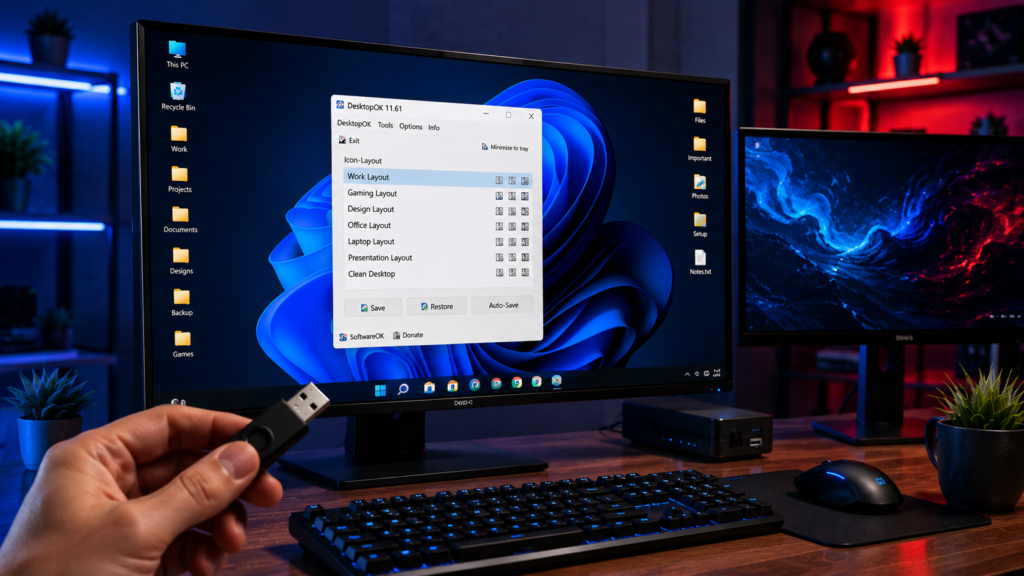
DesktopOK Portable Version is one of the most useful solutions for Windows users who want to save and restore desktop icon layouts without installing software. Unlike traditional desktop management tools, the portable edition can run directly from a USB drive, external storage device, or local folder, making it ideal for users who frequently switch computers or prefer lightweight utilities.
In this guide, you will learn what the DesktopOK Portable Version is, how it works, its benefits, the setup process, key features, and why many Windows users choose it over installed alternatives.
What Is DesktopOK Portable Version?
DesktopOK Portable Version is a standalone edition of DesktopOK that does not require installation. Users can download the ZIP package, extract the files, and launch the application immediately.
The software stores desktop icon positions and allows users to restore them whenever icons become disorganized because of:
- Screen resolution changes
- Multi-monitor switching
- Remote desktop sessions
- Graphics driver updates
- Windows updates
- Accidental icon movement
Because it is portable, no installation wizard or complex setup process is required.
Why Choose the Portable Version?
Many users prefer portable software because it offers greater flexibility and convenience.
Key advantages include:
- No installation required
- No changes to system files
- Can run from a USB flash drive
- Easy to move between computers
- Lightweight and fast
- Quick backup and restore functions
- Ideal for IT technicians and professionals
This makes DesktopOK Portable Version suitable for both personal and professional use.
How DesktopOK Portable Works
The portable version operates by creating snapshots of your desktop icon arrangement.
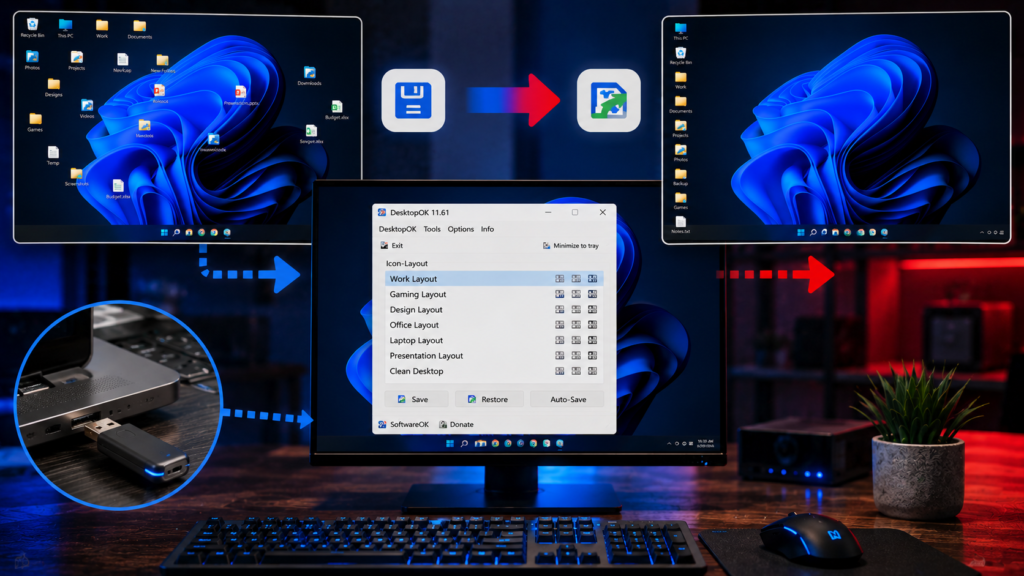
The process is simple:
- Launch DesktopOK Portable.
- Arrange desktop icons as desired.
- Save the current layout.
- Continue using your computer normally.
- Restore the saved layout whenever icons become misplaced.
The software records icon positions and restores them with a single click.
Downloading DesktopOK Portable
Downloading the portable edition is straightforward.
Basic steps:
- Download the DesktopOK ZIP package.
- Extract the archive to a folder.
- Open the extracted directory.
- Run DesktopOK.exe or DesktopOK_x64.exe.
- Start saving desktop layouts.
No administrator permissions are typically required for basic usage.
System Compatibility
DesktopOK Portable supports a wide range of Windows operating systems.
Supported versions include:
- Windows 11
- Windows 10
- Windows 8.1
- Windows 8
- Windows 7
- Windows Vista
- Windows XP
The software works on both 32-bit and 64-bit systems.
Main Features of DesktopOK Portable
Save Multiple Desktop Layouts
Users can create several desktop profiles for different tasks.
Examples include:
- Work layout
- Gaming layout
- Design layout
- Office layout
- Presentation layout
Each profile can be restored independently.
Restore Icons Instantly
One-click restoration allows users to recover icon positions within seconds.
This feature is particularly useful after:
- Monitor changes
- Docking station use
- Remote desktop sessions
- Resolution modifications
Auto Save Function
DesktopOK can automatically save layouts at selected intervals.
Benefits include:
- Reduced manual work
- Continuous backup protection
- Faster recovery
Multi Monitor Support
The software performs well on systems with multiple displays.
Users can maintain organized layouts across:
- Dual monitor setups
- Triple monitor configurations
- Extended desktop environments
Portable Convenience
The biggest advantage remains portability.
You can carry DesktopOK on:
- USB flash drives
- External SSDs
- Portable hard drives
- Cloud storage folders
Who Should Use DesktopOK Portable?
DesktopOK Portable is suitable for many types of users.
Home Users
Home users can keep desktops organized without worrying about accidental icon movement.
Office Workers
Business professionals can maintain consistent workspaces across different monitor configurations.
IT Administrators
Technicians often use the portable version when troubleshooting client computers.
Gamers
Gamers frequently change display settings, making DesktopOK useful for restoring icon layouts afterward.
Designers
Creative professionals using multiple monitors benefit from quick layout recovery.
Portable Version vs Installed Version
Both editions provide the same core functionality.
Portable Version Advantages:
- No installation
- Easy mobility
- Runs from USB devices
- Minimal system impact
Installed Version Advantages:
- Easier access through shortcuts
- Permanent presence on the computer
For most users, the portable version offers greater flexibility.
Tips for Best Results
To get the most from DesktopOK Portable:
- Save layouts regularly
- Create multiple backup profiles
- Store a copy on a USB drive
- Use auto save for added protection
- Keep backups before major Windows updates
These practices help ensure quick recovery whenever desktop layouts change.
Common Beginner Questions
Does DesktopOK Portable Need Installation?
No. It runs directly after extraction.
Can I Use It From a USB Drive?
Yes. This is one of its primary advantages.
Is DesktopOK Portable Free?
Yes. DesktopOK is available as freeware.
Does It Work on Windows 11?
Yes. It supports Windows 11 along with earlier Windows versions.
Can It Save Multiple Layouts?
Yes. Users can create and restore multiple desktop profiles.
Conclusion
DesktopOK Portable Version is an excellent utility for anyone who wants complete control over desktop icon organization without installing software. Its lightweight design, portability, multiple layout support, and quick restoration features make it one of the most practical desktop management tools available for Windows users.
Whether you are a home user, gamer, office worker, or IT professional, DesktopOK Portable provides a simple and reliable way to protect your desktop layout and restore it whenever needed.