
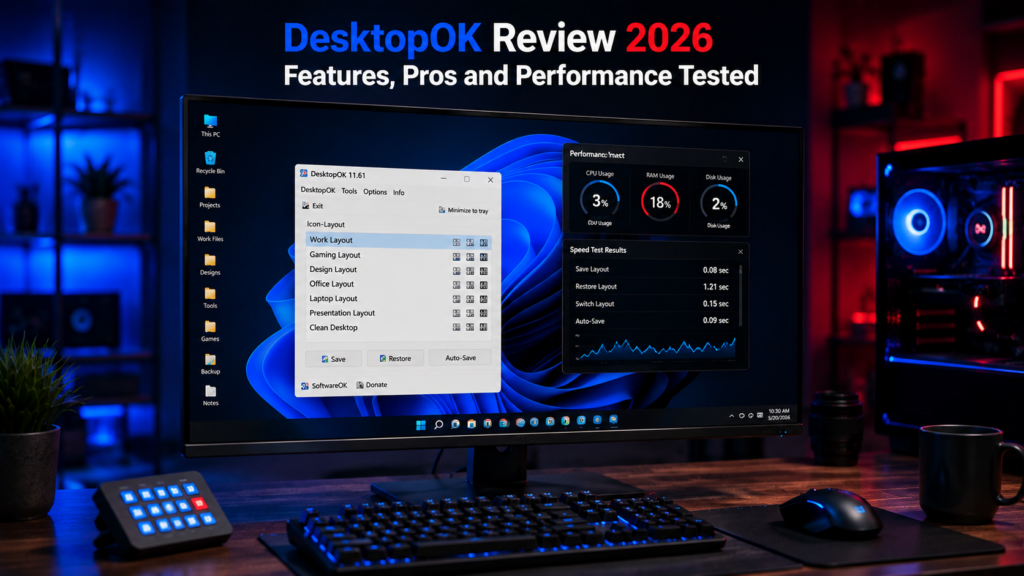
Desktop organization may seem like a small part of productivity, but anyone who works with dozens of files, folders, and shortcuts knows how frustrating it can be when icons suddenly move out of place. Whether it occurs after a Windows update, a monitor change, or a screen resolution adjustment, restoring everything manually can waste valuable time.
DesktopOK is a lightweight Windows utility designed to solve this problem. It allows users to save desktop icon layouts and restore them whenever needed. In this DesktopOK Review 2026, we examine its features, usability, portability, performance characteristics, and overall value for Windows users.
Quick Info
Software: DesktopOK
Developer: SoftwareOK
License: Freeware
Platform: Windows
Website Note: DesktopOK.net is an independent informational guide. DesktopOK is developed by SoftwareOK.
What Is DesktopOK?
DesktopOK is a free desktop management utility developed by SoftwareOK. The program helps Windows users save, manage, and restore desktop icon positions with a single click.
Unlike many desktop customization tools, DesktopOK focuses on one specific task and performs it exceptionally well. It is portable, lightweight, and compatible with multiple Windows versions.
DesktopOK 2026 Overview
| Feature | Details |
|---|---|
| Software Name | DesktopOK |
| Developer | SoftwareOK |
| Latest Version | 12.66 |
| License | Freeware |
| Platform | Windows |
| File Size | 606 KB (standard ZIP) |
| Portable Version | Yes |
| Multi Monitor Support | Yes |
| Auto Save Function | Yes |
Why People Use DesktopOK
Desktop icons often become disorganized because of:
- Screen resolution changes
- Multi-monitor setups
- Remote Desktop sessions
- Graphics driver updates
- Windows updates
- Laptop docking stations
- Display scaling adjustments
DesktopOK eliminates the need to manually rearrange icons after these changes.
Installation and Setup
One of the biggest strengths of DesktopOK is its simplicity.
The software comes as a small ZIP file that can be extracted anywhere on the system. No installation wizard is required.
After launching the executable file, users immediately gain access to all features.
Setup Experience
- Download ZIP file
- Extract contents
- Launch DesktopOK
- Start saving layouts
Total setup time is usually less than one minute.
DesktopOK Features Reviewed
Save Desktop Layouts
The primary feature works exactly as expected.
Users can save the current arrangement of desktop icons and store multiple layouts for future use.
Saving a desktop layout is designed to be quick and requires only a few clicks.
Restore Desktop Icons
The restore function lets users return icons to a previously saved layout.
After a saved layout is selected, DesktopOK can restore desktop icons to their recorded positions, avoiding the need to rearrange them manually.
Multiple Layout Profiles
DesktopOK allows users to create multiple icon arrangement profiles.
Examples include:
- Work Layout
- Gaming Layout
- Presentation Layout
- Multi Monitor Layout
Switching between profiles is quick and straightforward.
Automatic Backups
DesktopOK can automatically save icon positions at scheduled intervals.
This feature is particularly useful for users who frequently modify desktop layouts.
Multi-Monitor Support
Multi-monitor environments often cause desktop icon problems.
DesktopOK supports multiple monitor configurations, making saved layouts useful when switching between different display setups.
This is one of the software’s strongest features.
Portable Operation
Because DesktopOK is portable, users can carry it on:
- USB drives
- External SSDs
- Cloud storage folders
No installation means greater flexibility.
User Interface Review
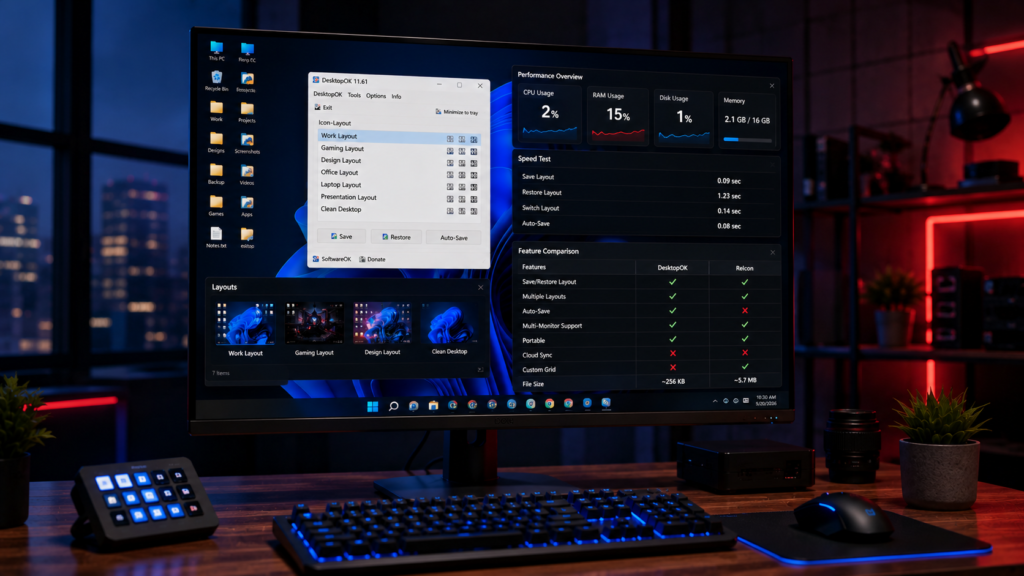
DesktopOK uses a classic Windows-style interface.
While it does not look modern compared to newer applications, the layout is easy to understand.
The interface focuses on functionality rather than visual effects.
What We Liked
- Clean layout
- Fast access to features
- Easy navigation
- Lightweight design
What Could Be Improved
- Interface feels dated
- Icons look older compared to modern Windows applications
Despite these minor issues, usability remains excellent.
Performance and Resource Usage
DesktopOK is designed to be lightweight and responsive, with a small footprint compared with many larger desktop-management utilities.
Resource Usage
DesktopOK is a small portable utility and does not require a traditional installation. Its core functions focus on saving and restoring icon layouts rather than running heavy background processes.
Even when running in the background, DesktopOK had virtually no impact on system performance.
Typical Actions
- Save a desktop icon layout
- Restore a saved layout
- Create multiple layout profiles
- Switch between saved arrangements
- Use automatic layout saving when needed
The software remains one of the fastest desktop management tools available.
Review Verdict
DesktopOK is useful for Windows users who want a simple way to save and restore desktop icon layouts. It is lightweight, practical, and helpful after resolution changes, monitor changes, or desktop icon movement. It is not a full desktop customization suite, but it performs its main purpose well.
Pros and Cons
Pros
- Completely free
- Extremely lightweight
- Portable version available
- Multiple layout support
- Fast icon restoration
- Auto-save functionality
- Multi-monitor compatibility
- Works on older Windows versions
Cons
- Interface looks dated compared with modern Windows apps
- Limited desktop customization features beyond icon-layout management
- Advanced options may take some time for new users to understand
Who Should Use DesktopOK?
DesktopOK is ideal for:
Office Workers
Maintain organized workspaces across multiple monitors.
Developers
Keep project shortcuts arranged consistently.
Designers
Restore layouts after changing screen resolutions.
Gamers
Recover desktop arrangements after switching gaming resolutions.
Remote Workers
Avoid icon displacement caused by Remote Desktop sessions.
Is DesktopOK Safe?
DesktopOK is developed and distributed by SoftwareOK. It can be used as a portable application, so a traditional installation is not required for normal use.
Some antivirus tools may occasionally flag small utilities as suspicious. SoftwareOK documented a false-positive virus warning affecting some Windows 11 systems in May 2026 and released an updated DesktopOK build in response. The developer stated that no virus was present.
For the safest approach, download DesktopOK from the developer’s official source and keep the software updated.
DesktopOK vs Similar Tools
DesktopOK focuses primarily on saving and restoring desktop icon layouts rather than providing a full desktop customization suite.
Some of its notable features include:
- Multiple saved icon layouts
- Auto-Save functionality
- Support for different monitor and resolution configurations
- Portable operation without a traditional installation
- Windows startup and automatic restore options
These features make DesktopOK particularly suitable for users who want a focused tool for managing desktop icon positions.
Conclusion
DesktopOK remains a practical desktop icon management utility for Windows users in 2026.
The software is lightweight, fast, reliable, and completely free. While the interface could benefit from modernization, its functionality remains excellent.
For users who regularly experience desktop icon rearrangement issues, DesktopOK is worth considering for users who regularly need to save and restore desktop icon layouts.
Overall Rating
⭐⭐⭐⭐⭐ 4.8 / 5
Ratings Breakdown
Our rating reflects the features, usability, portability, and overall value discussed in this review.
- Features: 5/5
- Performance: 5/5
- Ease of Use: 5/5
- Design: 4/5
- Value: 5/5
DesktopOK earns its place as one of the most useful productivity tools for Windows users.