
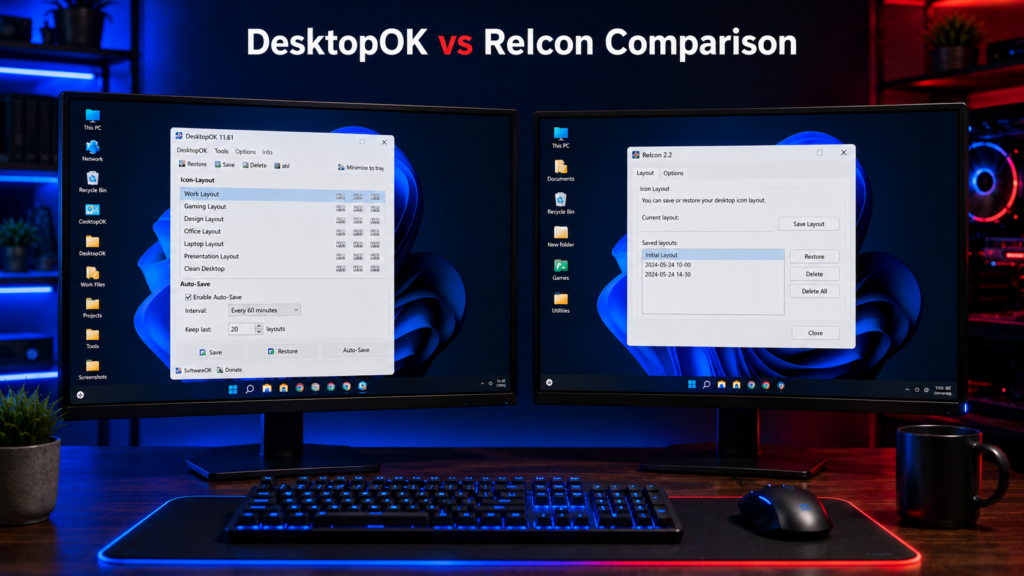
Windows users looking for a reliable way to save desktop icon positions often compare DesktopOK and ReIcon. Both utilities can save and restore desktop icon layouts, but they are designed for slightly different types of users.
DesktopOK vs ReIcon mainly comes down to features versus simplicity. DesktopOK provides multiple saved layouts, automatic saving options, and tools useful for changing display configurations, while ReIcon focuses on straightforward desktop icon layout backup and restoration.
In this comparison, we’ll look at DesktopOK vs ReIcon for features, ease of use, performance, portability, Windows compatibility, and everyday desktop management so you can decide which option better fits your needs.
Quick Info
Software: DesktopOK
Developer: SoftwareOK
License: Freeware
Platform: Windows
Website Note: DesktopOK.net is an independent informational guide. SoftwareOK develops DesktopOK.
What Is DesktopOK?
DesktopOK is a lightweight Windows utility developed by SoftwareOK that allows users to save and restore desktop icon layouts.
The software includes advanced features designed for both casual users and professionals.
Key DesktopOK Features
- Save and restore desktop icon layouts
- Portable version available
- Auto save functionality
- Multiple profile support
- Multi-monitor compatibility
- Resolution-specific layouts
- Lightweight installation
- Support for older Windows versions
DesktopOK is particularly popular among users who frequently switch display configurations.
What Is ReIcon?
ReIcon is a simple utility designed specifically for saving and restoring desktop icon positions.
It focuses on one primary function and offers a straightforward interface.
Key ReIcon Features
- Save desktop icon layouts
- Restore saved layouts
- Portable application
- Simple user interface
- Lightweight performance
ReIcon is ideal for users looking for a basic desktop icon backup tool without additional functionality.
Quick Verdict
DesktopOK is a better choice for users who want more layout control, multi-monitor support, and regular desktop icon management. ReIcon is suitable for users who only need a simple save-and-restore tool with a basic interface.
DesktopOK vs ReIcon Feature Comparison
| Feature | DesktopOK | ReIcon |
|---|---|---|
| Save Icon Layouts | Yes | Yes |
| Restore Icon Layouts | Yes | Yes |
| Portable Use | Yes | Yes |
| Automatic Saving Options | Yes | More basic/manual-focused |
| Multiple Saved Layouts | Yes | Yes |
| Multi-Monitor Use | Supported | Supported, simpler controls |
| Display/Resolution Management | More options | Basic |
| Interface | More feature-rich | Simpler |
| Windows 11 | Supported | Supported |
| Resource Usage | Very Low | Very Low |
| Best For | Advanced/frequent layout management | Simple save & restore |
DesktopOK provides more layout-management options, while ReIcon keeps the experience simpler for users who mainly want to save and restore desktop icon positions.
User Interface Comparison
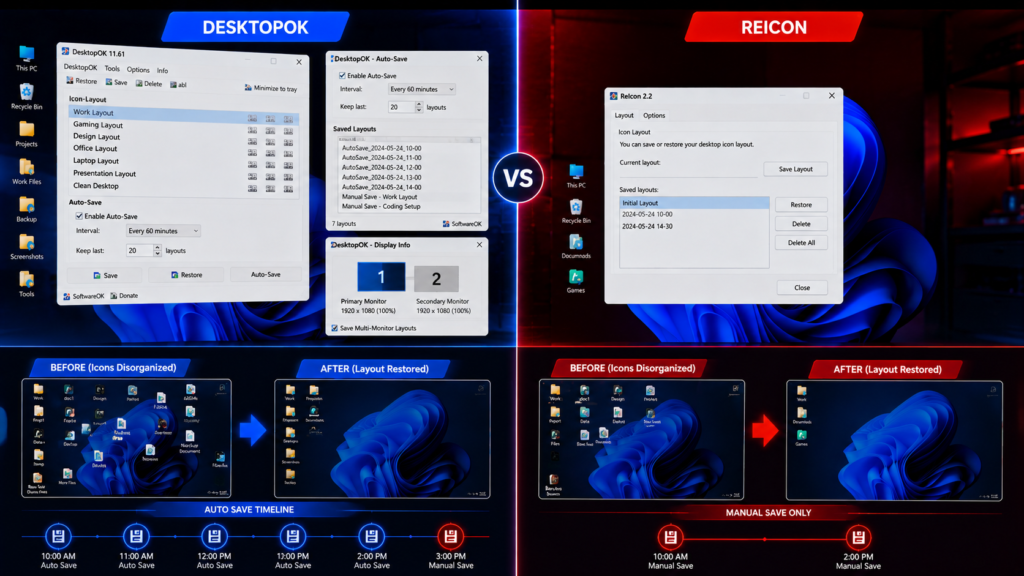
DesktopOK Interface
DesktopOK provides a feature-rich interface with access to multiple layout profiles, automatic backups, and advanced settings.
Advantages include:
- Detailed control options
- Profile management
- Backup organization
- Multi-monitor configuration tools
ReIcon Interface
ReIcon focuses on simplicity.
Advantages include:
- Easy navigation
- Minimal learning curve
- Quick save and restore actions
Users who prefer basic functionality may appreciate ReIcon’s straightforward design.
Performance Comparison
Both applications are lightweight and consume minimal system resources.
DesktopOK Performance
- Extremely small file size
- Fast save and restore operations
- Handles large desktop layouts efficiently
- Supports complex monitor configurations
ReIcon Performance
- Fast startup
- Minimal memory usage
- Quick backup creation
In everyday usage, performance differences are negligible.
Multi Monitor Support
Multi-monitor support is one of the biggest differences between the two tools.
DesktopOK
DesktopOK provides useful options for users who regularly work with multiple monitors or change display configurations.
Users can save desktop icon layouts for different working setups and restore an appropriate layout after reconnecting monitors or changing display settings. This makes DesktopOK particularly useful for laptops with external displays and multi-monitor workstations.
ReIcon
ReIcon can also save and restore desktop icon positions, including layouts used with different display setups. However, its approach is more focused on straightforward layout saving and restoration.
For users who frequently switch between monitor configurations and want more layout-management options, DesktopOK is the stronger choice. ReIcon remains suitable when simple icon position backup and restoration is the main requirement.
Auto Save Functionality
DesktopOK
DesktopOK includes automatic saving options that can help users maintain recent desktop icon layouts without creating every backup manually.
This is useful for users who frequently change desktop arrangements, switch display configurations, or want additional protection against unexpected icon movement.
ReIcon
ReIcon takes a simpler approach to desktop icon layout management and is more focused on straightforward save-and-restore operations.
For users who want more control over automatic layout saving, DesktopOK provides the more feature-rich approach. Users who prefer a simpler workflow may find ReIcon sufficient.
Portability
Both applications support portable usage.
DesktopOK Portable
- Runs directly from USB drives
- No installation required
- Settings can travel with the user
ReIcon Portable
- Portable by design
- Small executable size
- Easy deployment
Both tools perform well in this category.
Compatibility
DesktopOK Compatibility
Supports:
- Windows 11
- Windows 10
- Windows 8.1
- Windows 8
- Windows 7
- Older Windows versions
ReIcon Compatibility
Supports:
- Windows 11
- Windows 10
- Windows 8
- Windows 7
DesktopOK generally offers broader compatibility.
Advantages of DesktopOK
More Features
DesktopOK provides significantly more functionality beyond simple backup and restore actions.
Better Multi-Monitor Support
Ideal for users with complex display setups.
Automatic Backups
Auto Save prevents accidental loss of layouts.
Resolution Profiles
Layouts can be linked to specific display resolutions.
Feature-Rich Layout Management
DesktopOK combines layout saving and restoration with additional options for users who regularly manage different desktop and display configurations.
Advantages of ReIcon
Simplicity
Perfect for users who only need basic backup and restore functionality.
Easy Learning Curve
New users can start using ReIcon immediately.
Lightweight
Requires virtually no system resources.
Which Tool Should You Choose?
For most users who regularly deal with changing resolutions, multiple monitors, or desktop icon movement, DesktopOK is the better overall choice because it provides more layout-management options. ReIcon makes more sense for users who prefer a simpler utility focused primarily on saving and restoring icon positions.
Choose DesktopOK If You:
- Use multiple monitors
- Frequently change resolutions
- Need automatic backups
- Want advanced profile management
- Work remotely using Remote Desktop
- Need maximum flexibility
Choose ReIcon If You:
- Want a simple backup tool
- Only use one monitor
- Prefer minimal settings
- Need basic save and restore functionality
Conclusion
Both DesktopOK and ReIcon can save and restore desktop icon positions, but they suit different types of users.
DesktopOK is the better fit for users who want more layout-management options, automatic saving features, and support for changing display configurations. ReIcon is better suited to users who prefer a simpler utility focused mainly on basic save-and-restore functionality.
If you frequently switch monitors, change resolutions, or maintain several desktop layouts, DesktopOK is likely the more practical choice. If you only need a lightweight tool to save and restore icon positions occasionally, ReIcon may be sufficient.